
Platform
highlights
The transition.aero platform supports aircraft lease transitions from aircraft records review and OIL management through to maintenance check control and project closure. Returning Partner, Receiving Partner and MRO roles can be managed through role-based permissions, with user traceability, status control and responsibility allocation across the main project tasks.
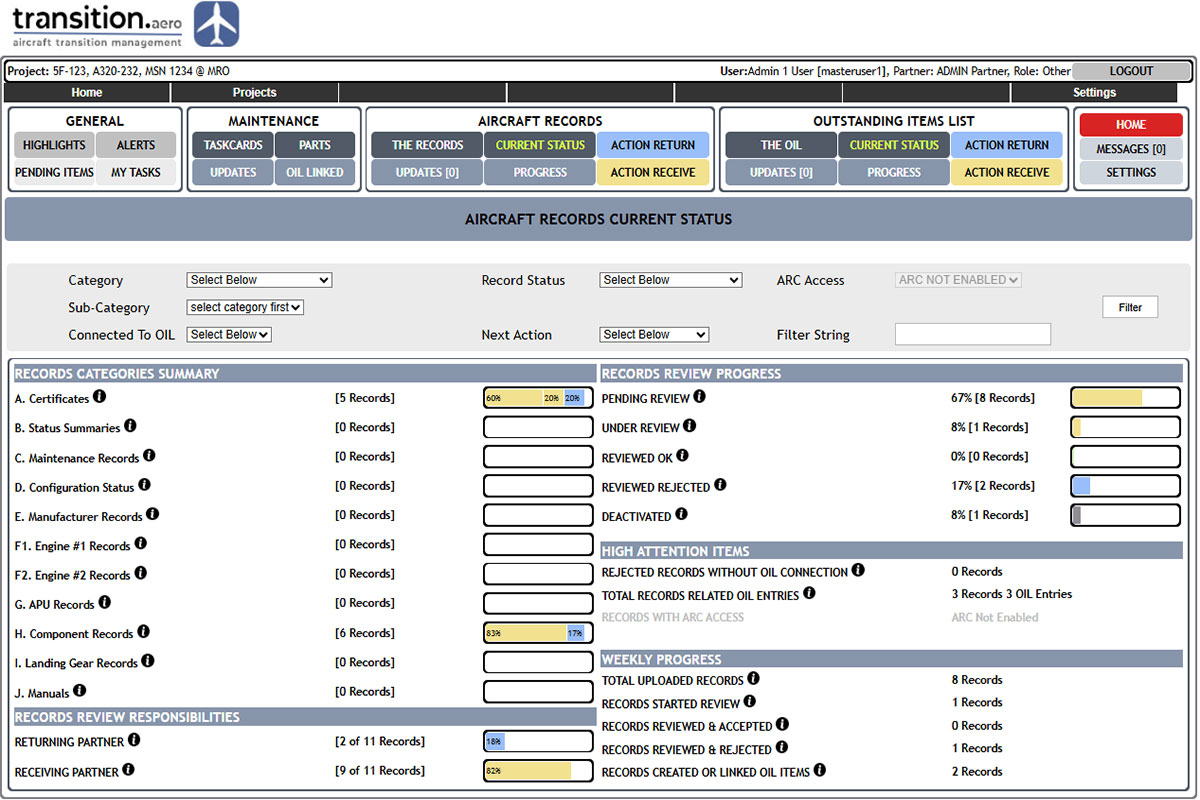
Comprehensive Aircraft Records Management
Aircraft records uploaded by the Returning CAMO are reviewed progressively by the Receiving Partner, with review progress and OIL follow-up managed on the platform.
The Returning CAMO uploads the required aircraft records to the relevant project repository.
The Receiving Partner reviews each record and updates the applicable review status.
Accepted records can be closed, while rejected records can be linked to OIL items for follow-up and closure.
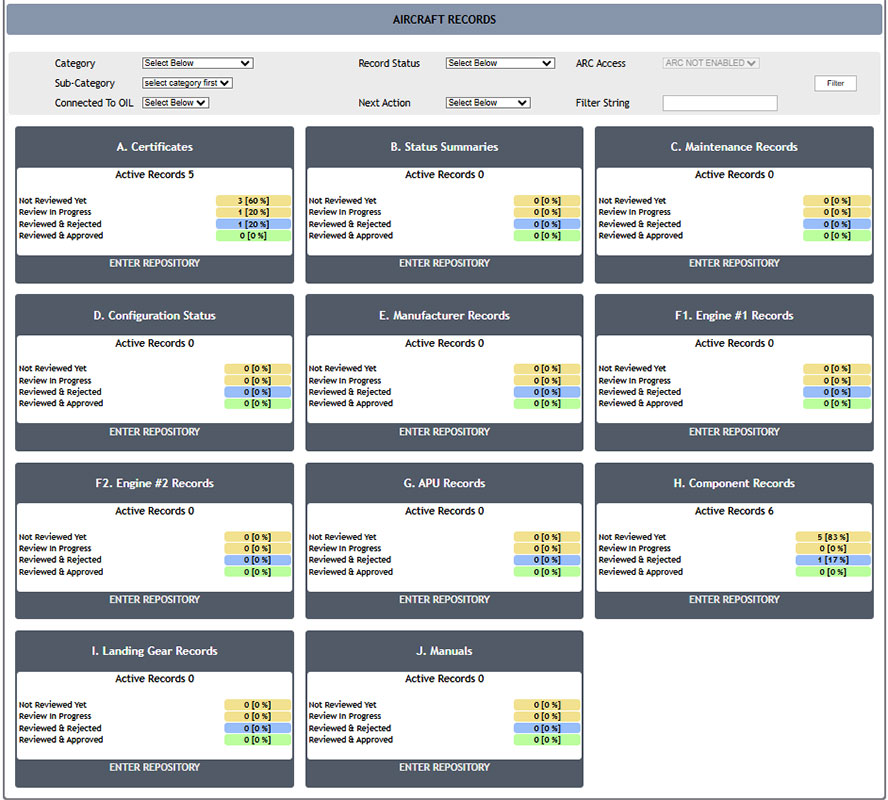
Aircraft Records Categories
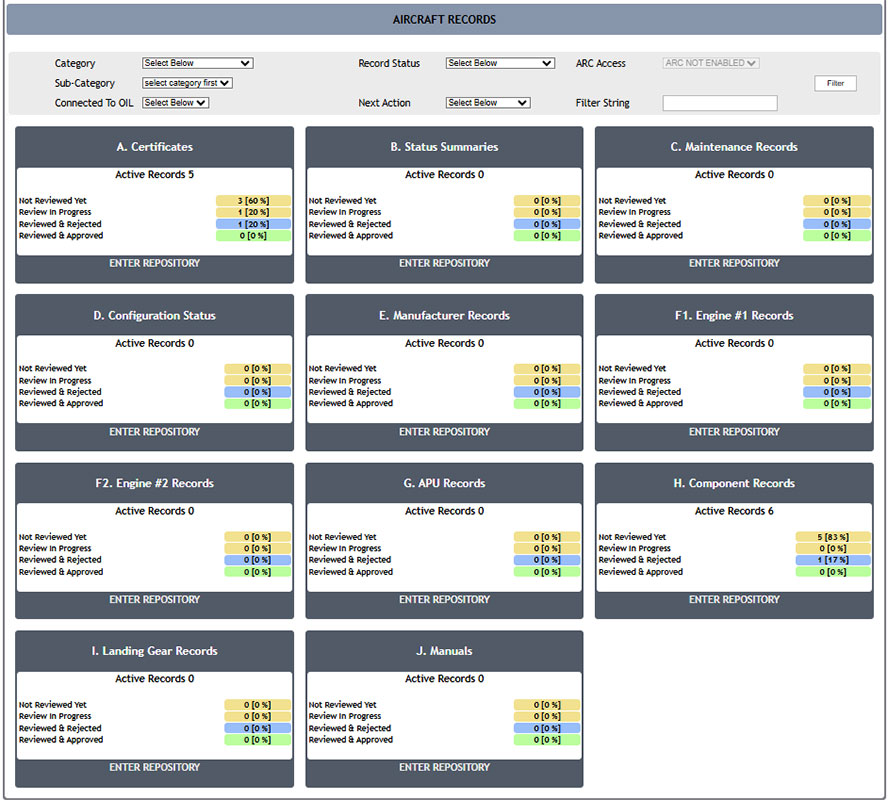
Aircraft records are organised in IATA/AWG-style categories and subcategories for structured lease-transition review.
Records can be uploaded into the appropriate category, subcategory or folder.
Users can browse the repository or search for the required records and supporting evidence.
Each category and subcategory shows available records and review progress.
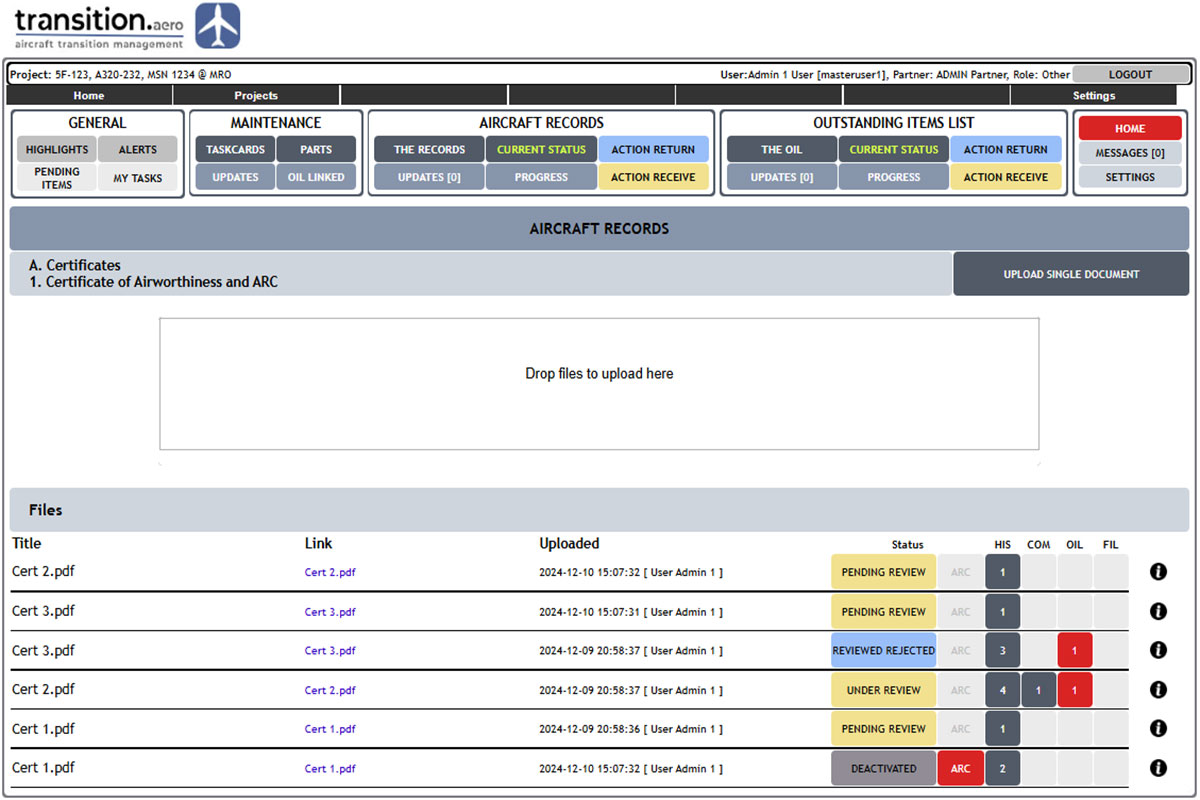
Aircraft Records Repository
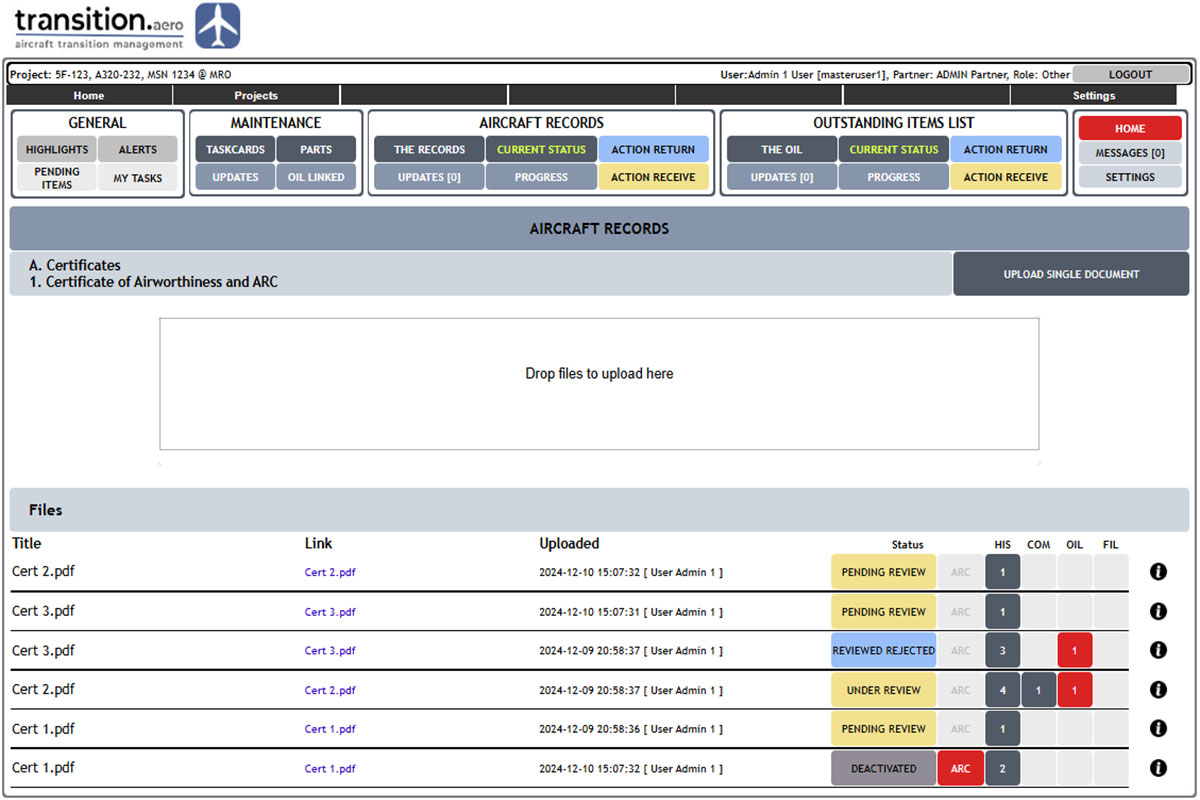
Each records folder supports controlled upload, file management, review status, history and OIL linkage.
Each aircraft record is clearly labelled with its current status and key properties.
Uploads record the user and timestamp for traceability.
Records can show review progress, history, comments, evidence and any linked OIL item.

Aircraft Records OCR & Search
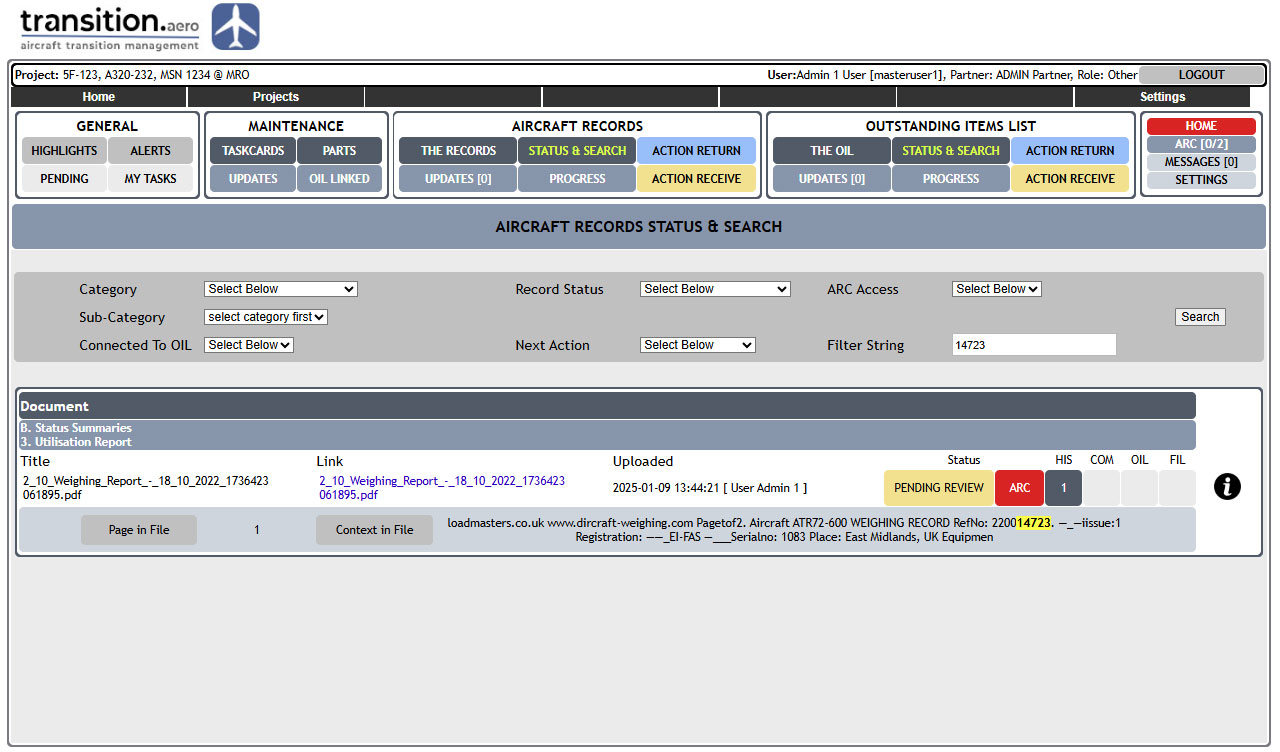
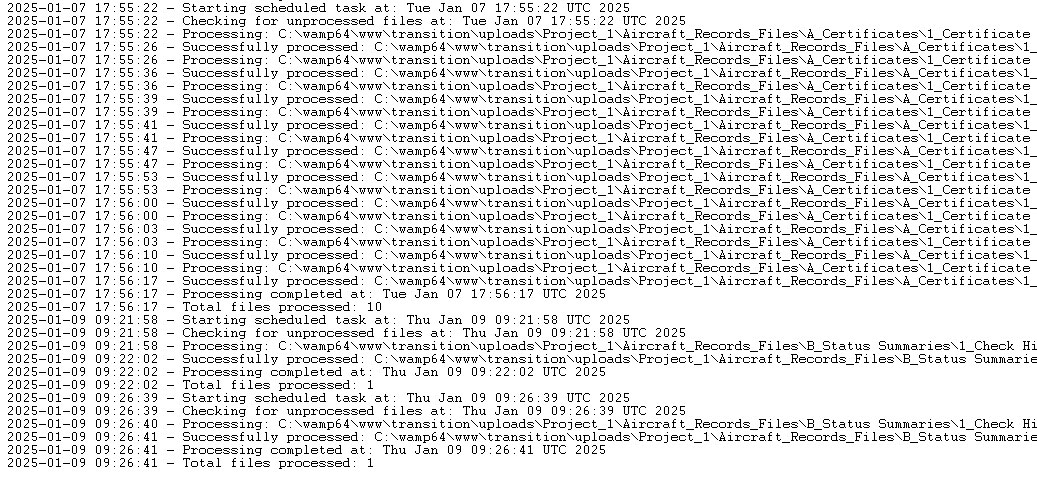
Background OCR processing makes uploaded aircraft records searchable.
The OCR process monitors newly uploaded supported files.
New records are processed into searchable PDF equivalents where applicable.
The search function can include OCR-processed PDFs together with supported Word and text documents.
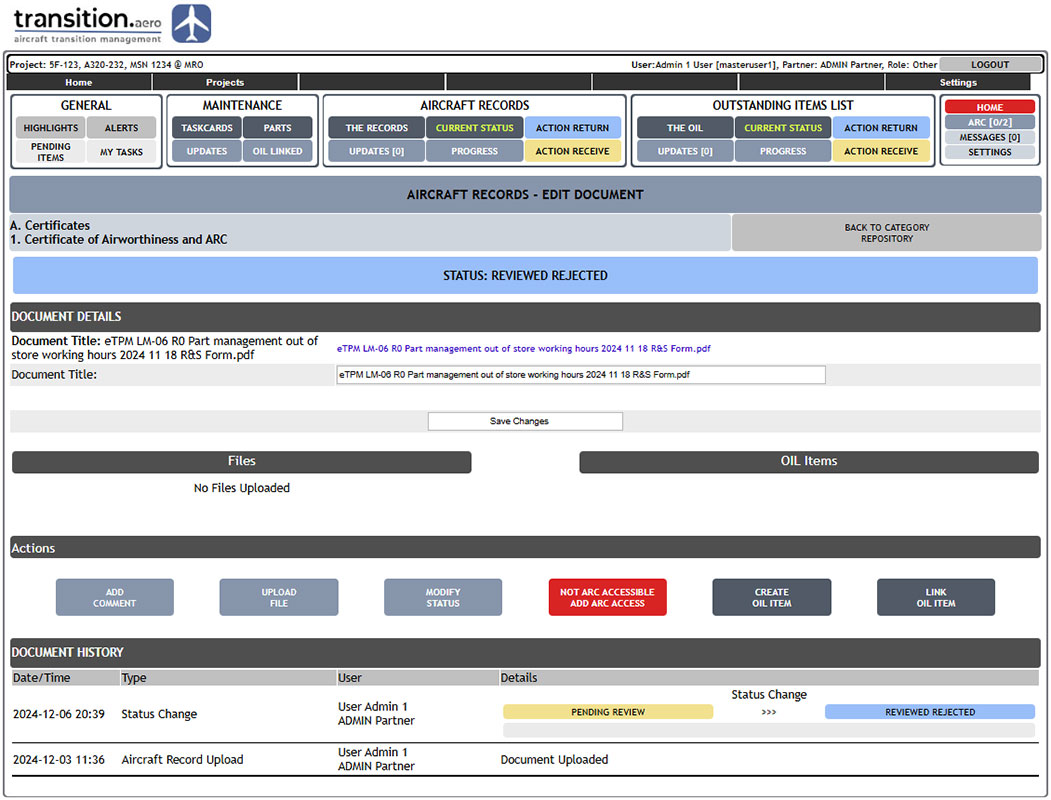
Aircraft Records Properties
Users can review and update aircraft record status, comments, evidence and linked OIL information from the record page.
The Receiving Partner can update review progress and create or link OIL items where required.
Users can add comments or upload evidence according to their permissions.
Actions are logged and displayed against the record from upload through to closure.
Comprehensive OIL Management
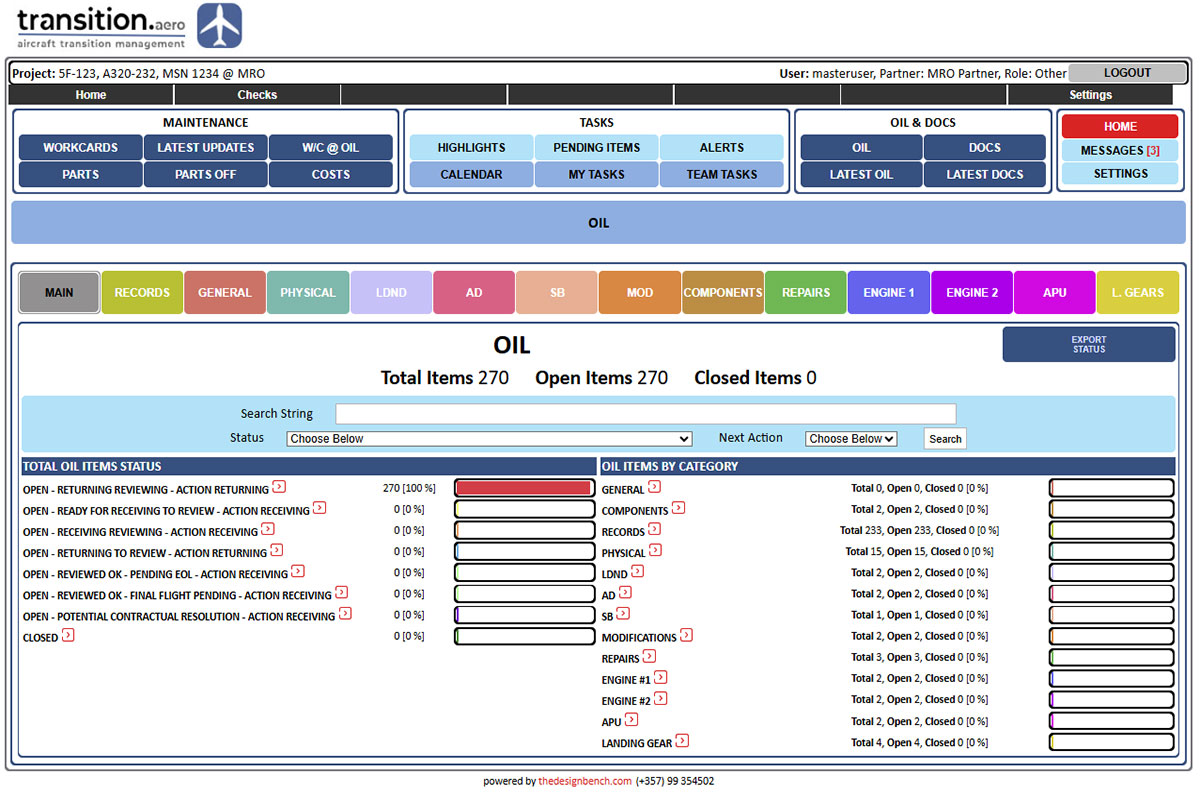
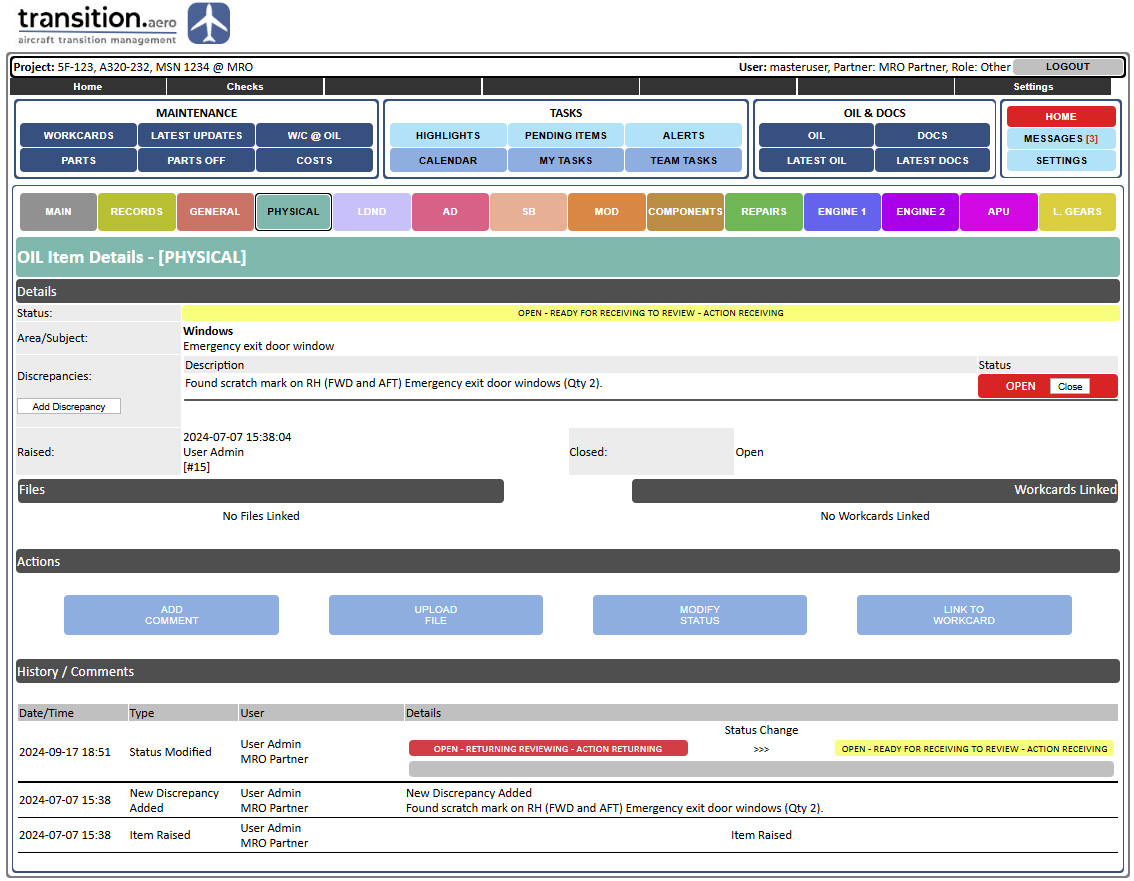
Outstanding Item List management by subject, status and next-action responsibility, with full user and timestamp traceability.
OIL categories support records, physical findings, LDND/MPD, AD, SB, MOD, components, repairs, engines, APU, landing gear and other transition subjects.
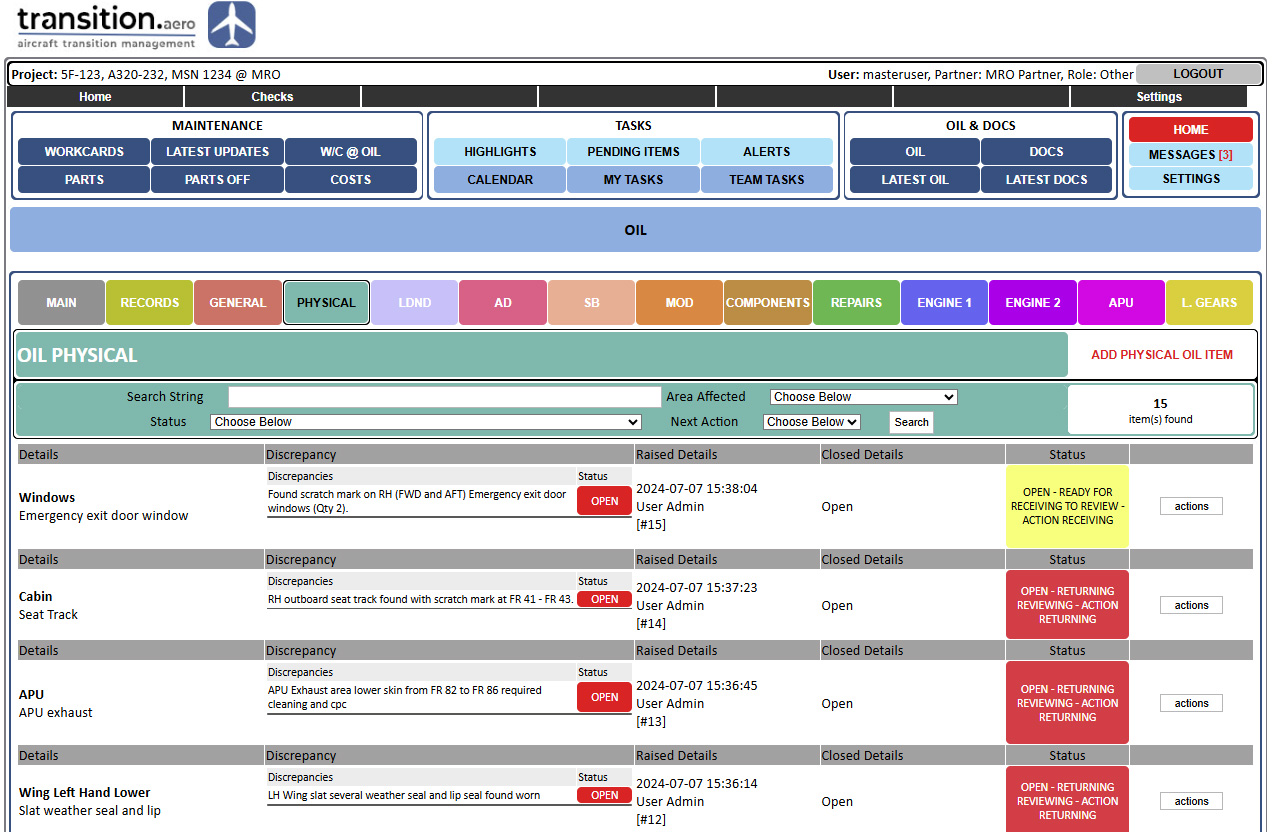
Each OIL item can carry clear status, discrepancy details and next-action responsibility.
Status changes, comments, file uploads and links to taskcards or records are logged and highlighted.
OIL Items and Specific Discrepancies
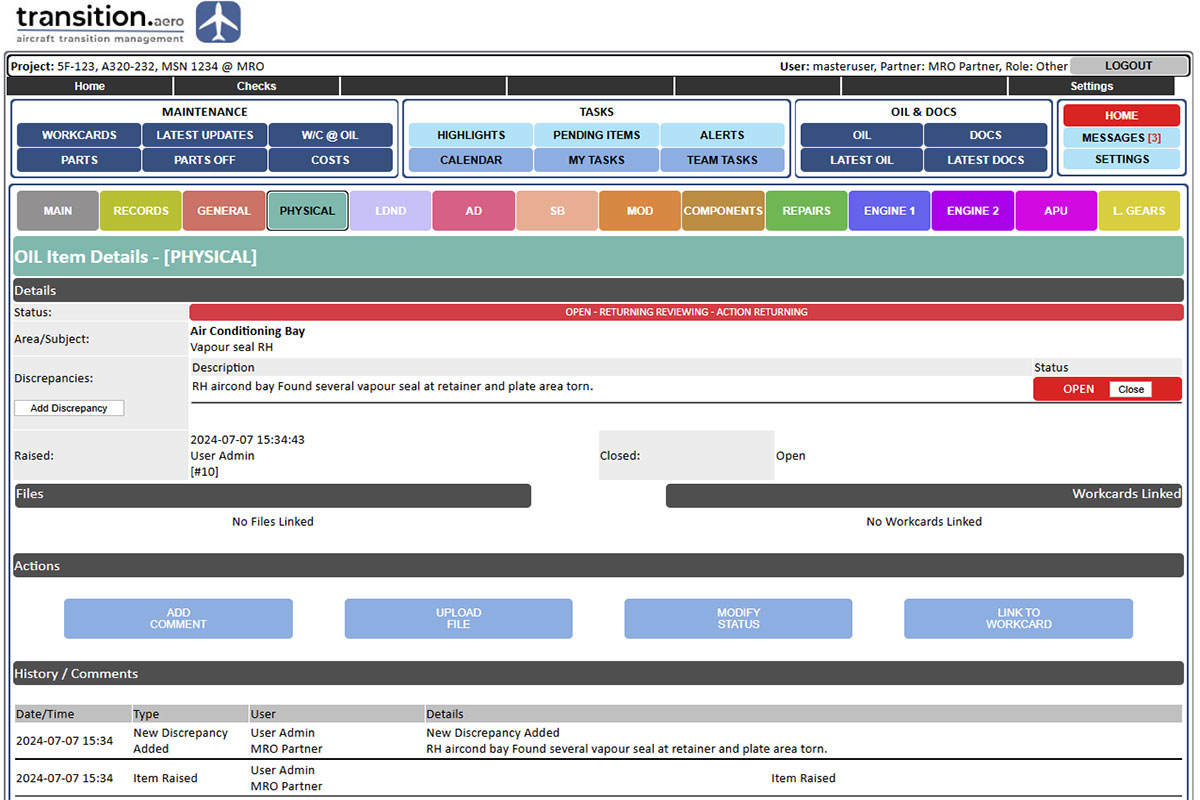
Multiple discrepancies can be recorded under a single OIL item where required.
OIL items are organised by description, subject and discrepancy details.
Files can be uploaded to support either the discrepancy or its closure.
Comments and status updates can be controlled by role and responsibility according to the current OIL status.
Searchable by Details, Next Action Responsibility & latest updates
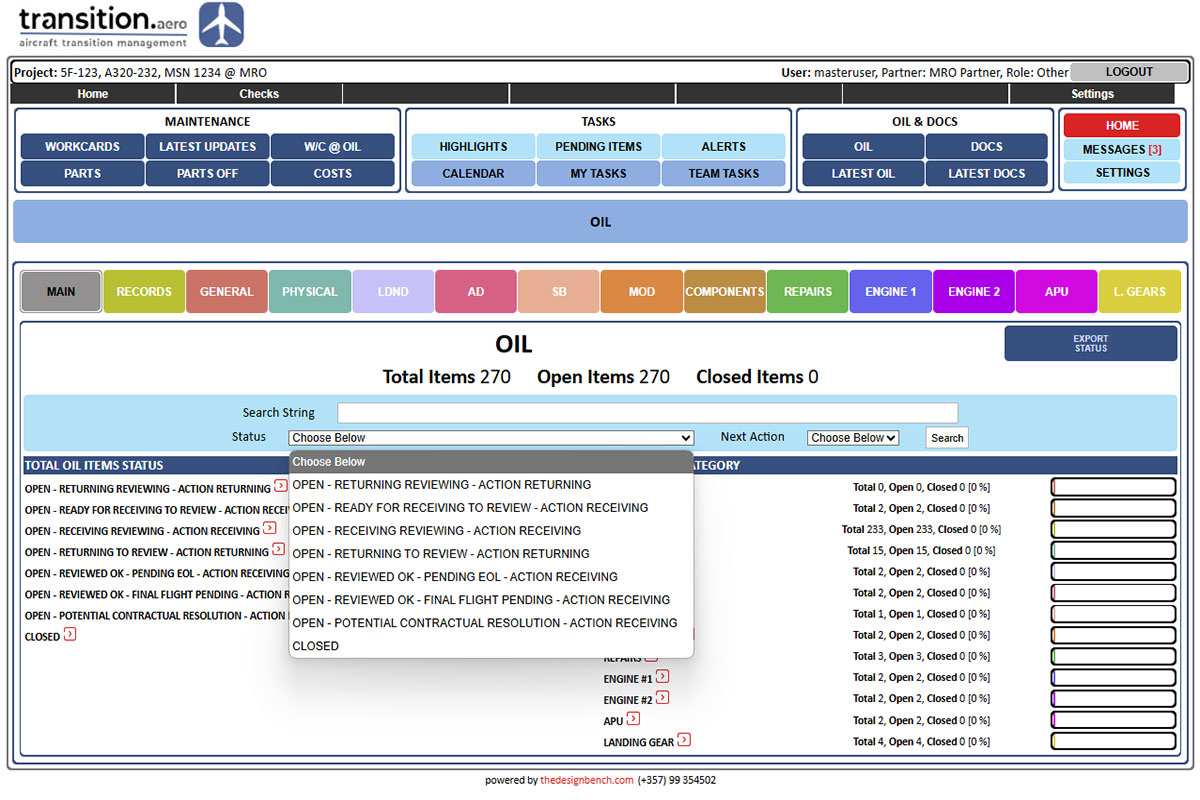
The OIL is searchable by details, subject, status, next-action responsibility and latest updates.
Items can be searched by free text, subject, status and whether the next action is with the Returning or Receiving Partner.
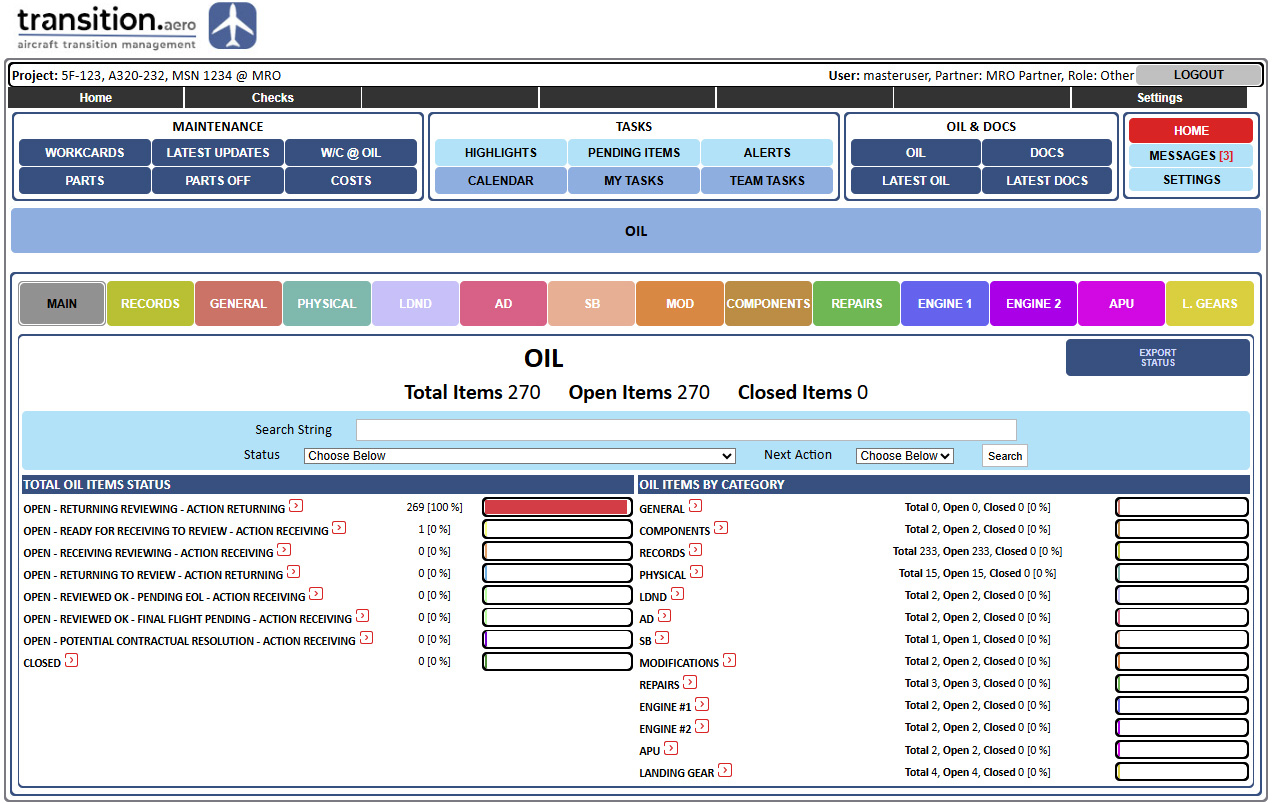
The OIL front page summarises the OIL condition with clear progress indicators.
Latest OIL updates can be searched by user, category and update type.

OIL Updates & Management
OIL update mechanisms help users identify changes quickly and respond efficiently.
The platform indicates how many OIL items have changed since the user last reviewed them.
New changes are listed chronologically, with the latest update shown first.
Each update shows the user, timestamp and summary, with links back to the relevant item for review/action.
Taskcards Control
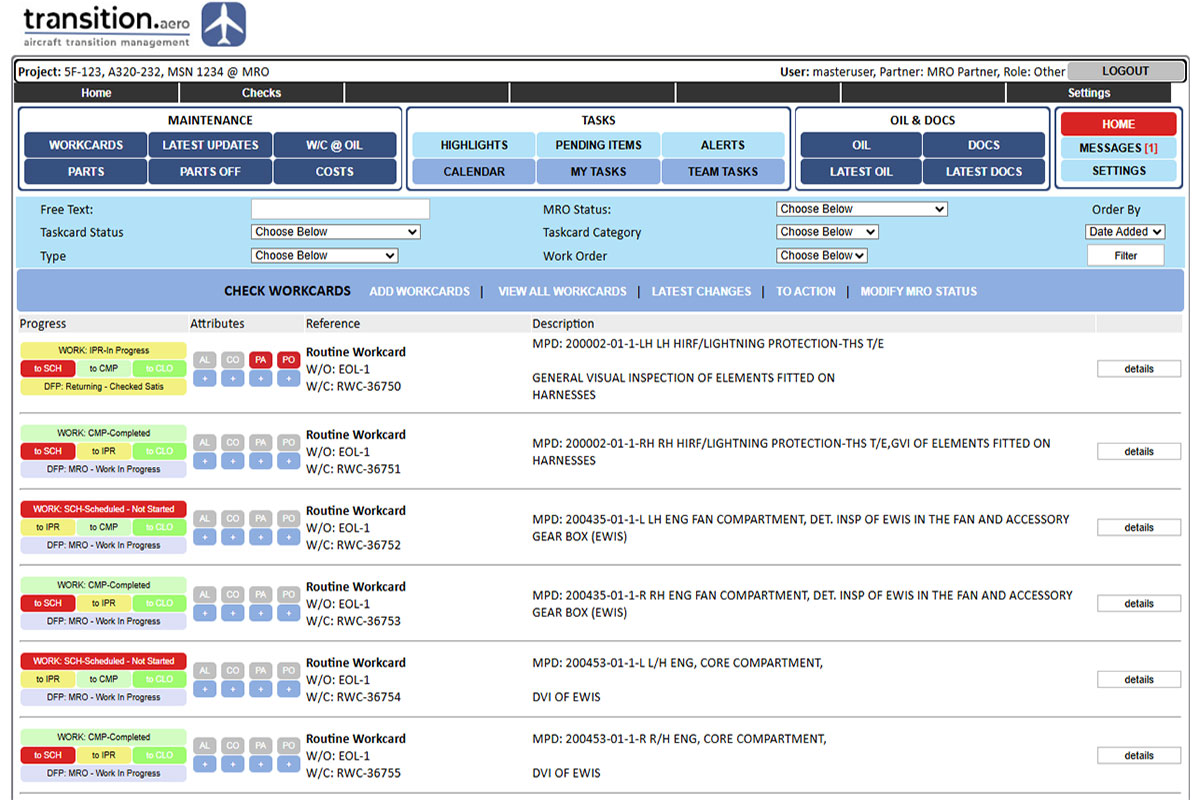
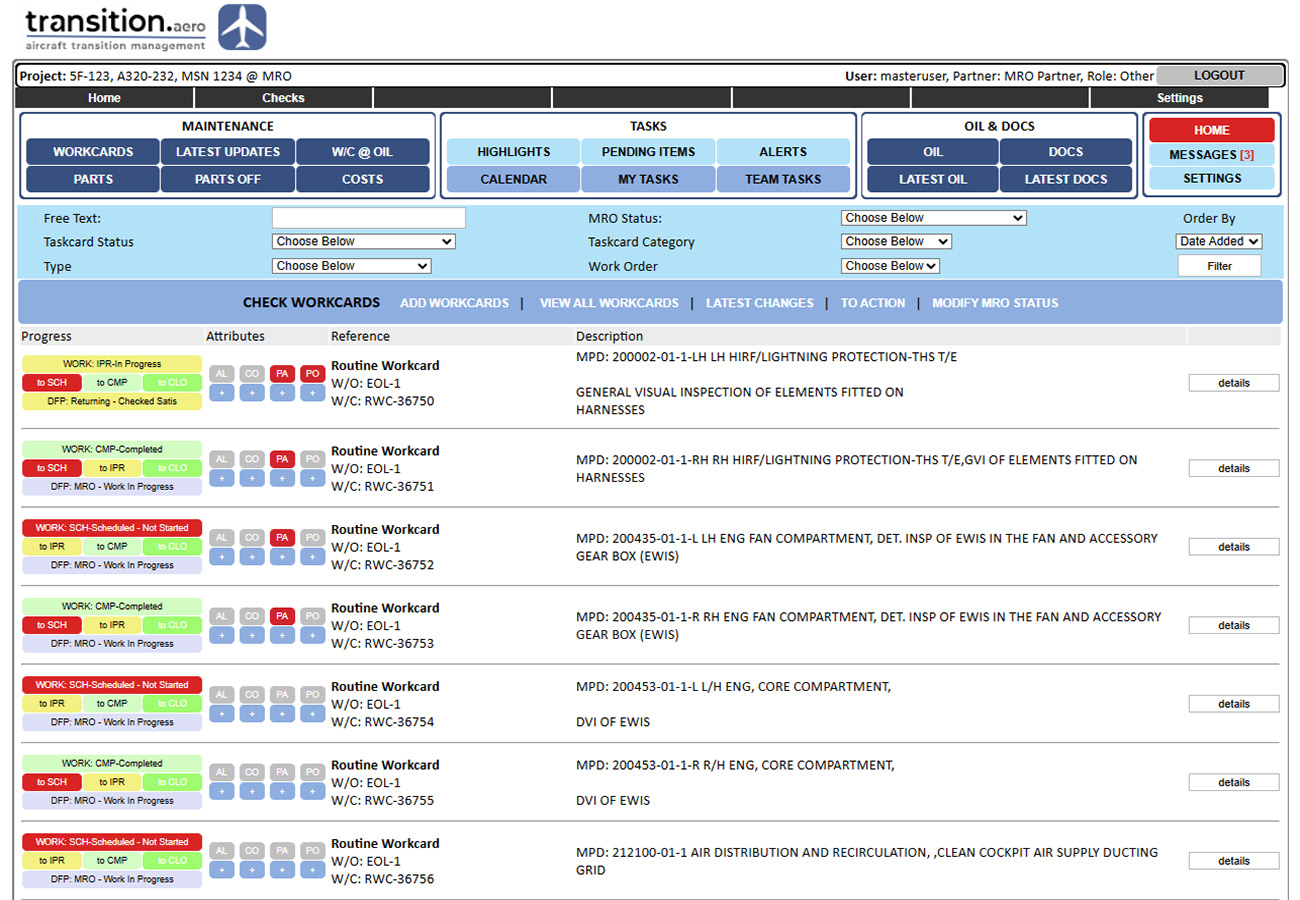
Taskcard control for routine tasks, non-routine tasks, customer additions, parts, DFPs and related project actions.
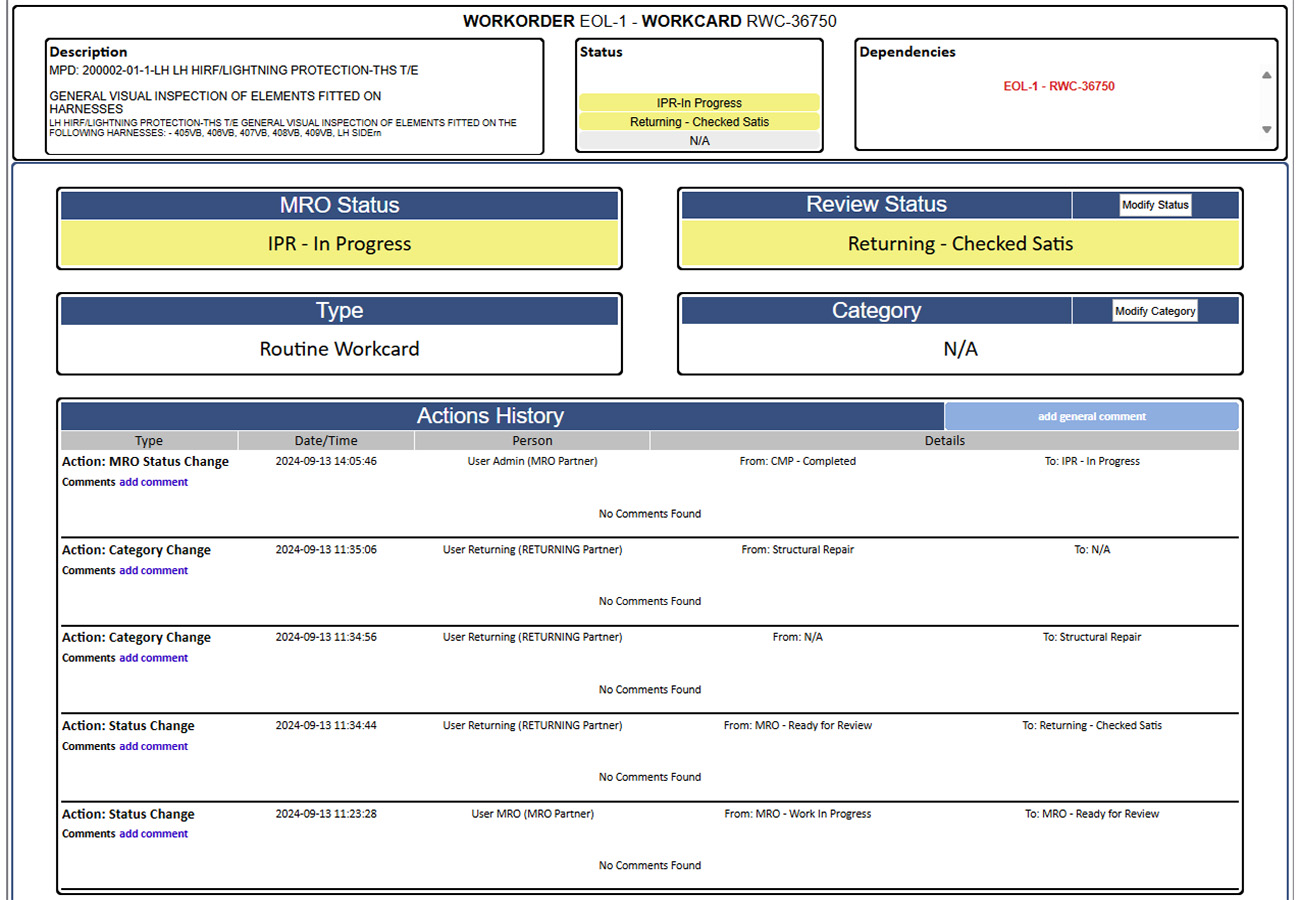
Taskcards can carry MRO status such as Scheduled, In Progress and Completed, together with CAMO / DFP review status.
Alerts, costs, parts required and parts removed can be assigned to each taskcard.
User edits are logged for traceability.
Taskcards can be classified by user-defined categories such as structural, avionics or external work.
Taskcards are searchable by status, category, type and free text.
Taskcards resulting from OIL discrepancies can be linked back to the related OIL item.
Taskcard Statuses
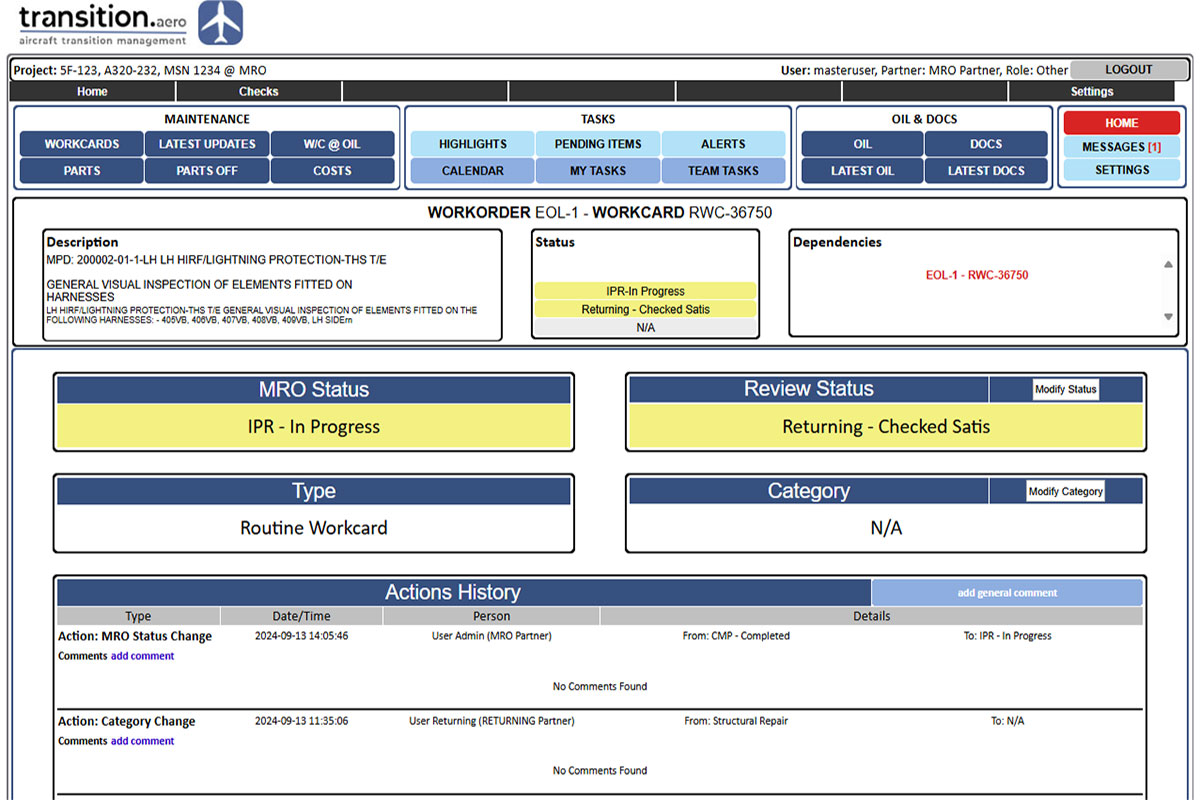
Taskcard status and properties define how each maintenance task is tracked and reviewed.
MRO status can be imported from the MRO daily taskcard status and/or updated according to project process.
DFP review status can be tracked as Reviewed, Accepted or Rejected.
Taskcard type can identify routine, non-routine and customer additional tasks, with dependencies where provided by the MRO data.
Optional taskcard categories allow filtering by work area such as structural, avionics or external tasks.
Parts Management & Costs
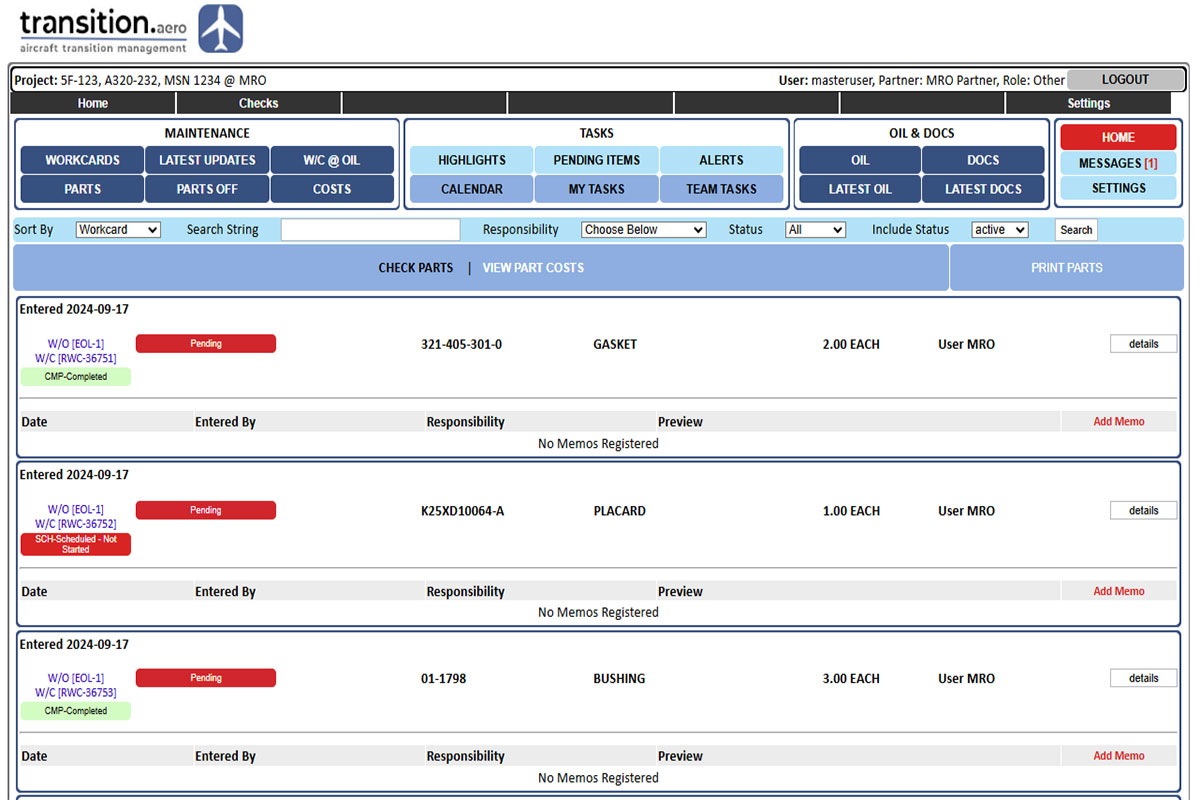
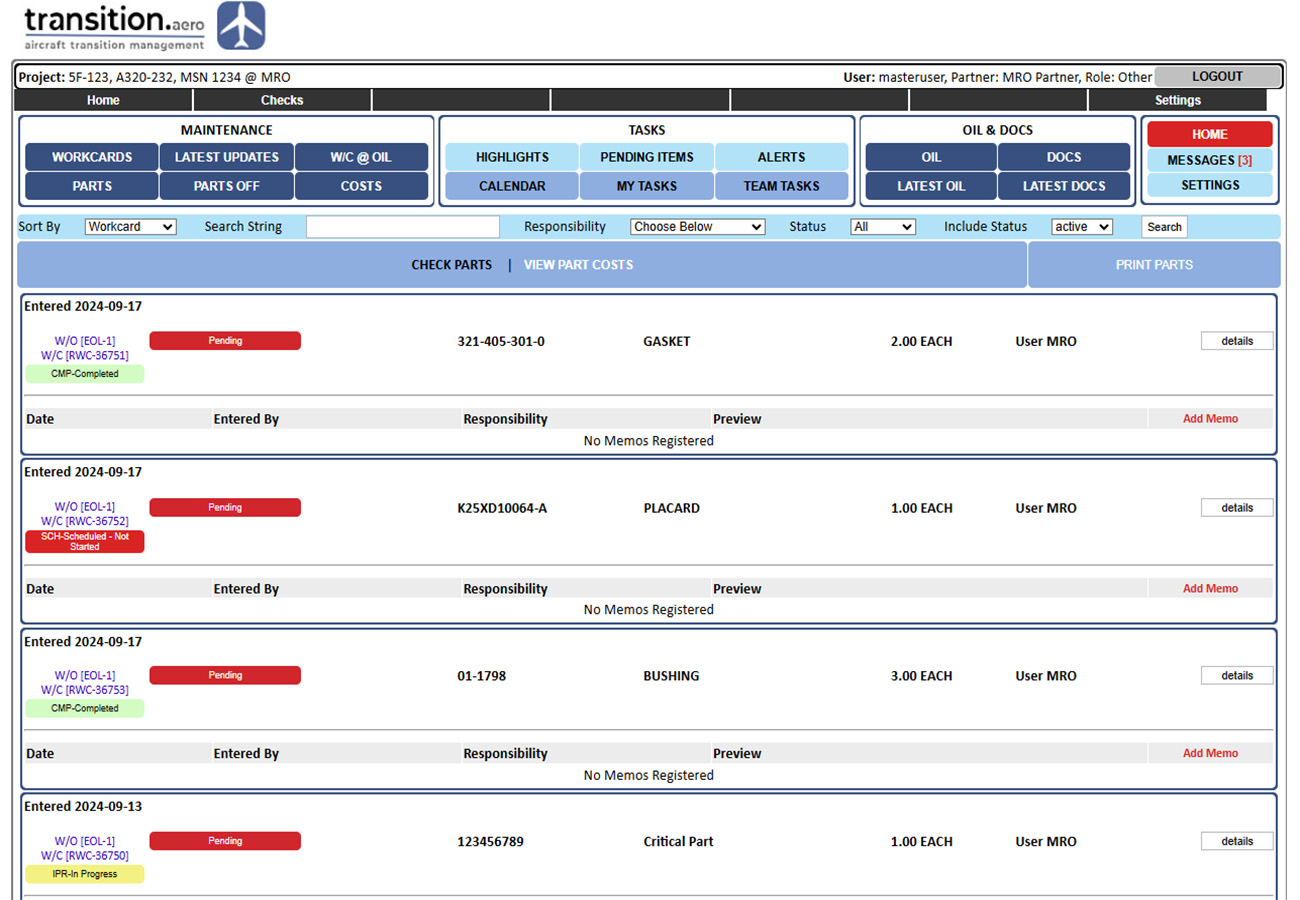
Parts Required and Parts Removed modules provide procurement, logistics, responsibility and cost visibility.
Parts required can be added directly to the taskcard that drives the requirement, with technical, logistics and procurement status details.
Parts removed from the aircraft can also be recorded against the relevant taskcard, including responsibility, destination and dispatch details.
Costs can be recorded against taskcards and parts where permissions allow, with access controlled by user role.
Latest Taskcard Updates
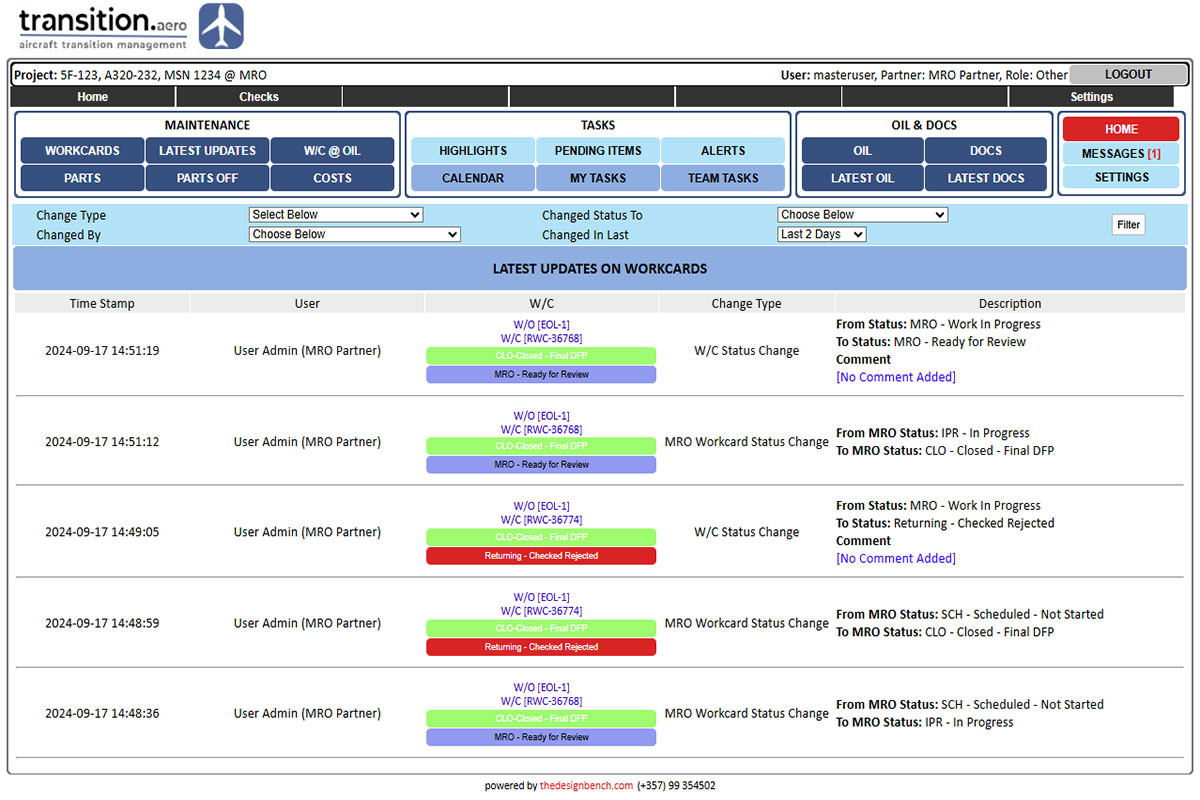
Latest taskcard updates provide a searchable view of major changes across the maintenance check.
The updates page lists key taskcard changes sorted by the latest activity.
Tracked changes include MRO status, DFP status, category, uploaded files, comments, new taskcards and taskcard property edits.
Updates can be searched by update type, user and relevant status/filter fields.
Project Progress Highlights
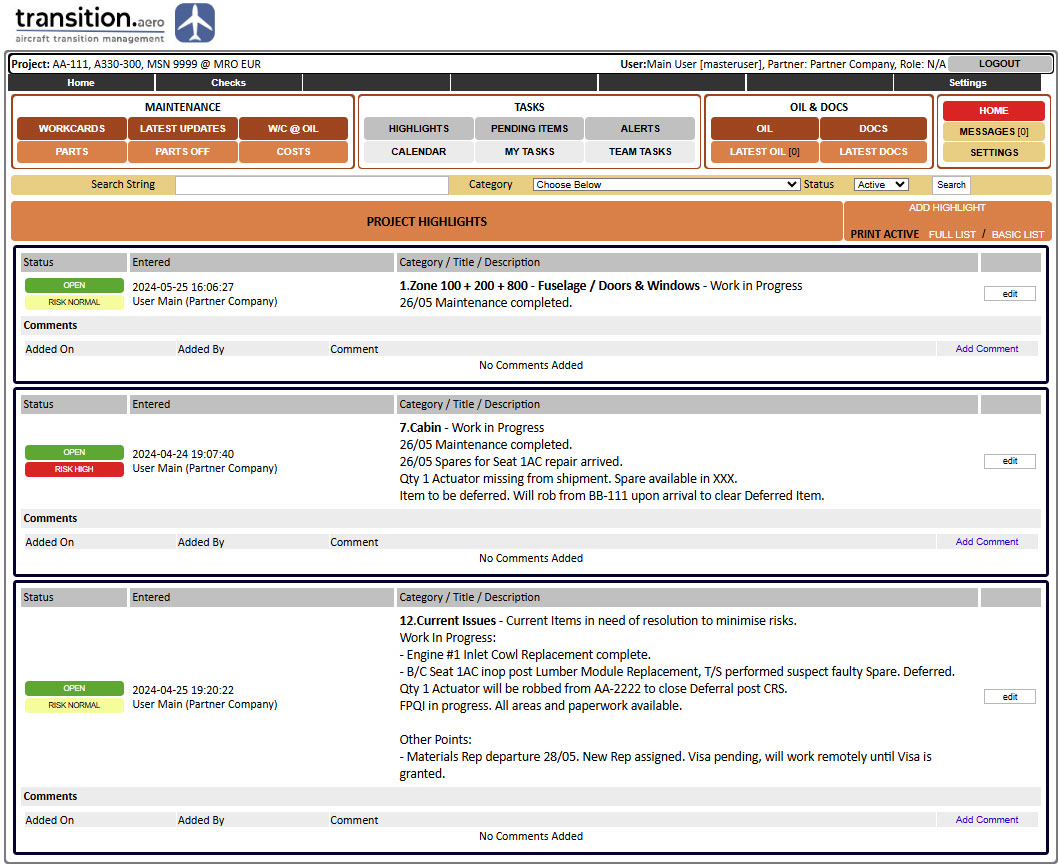
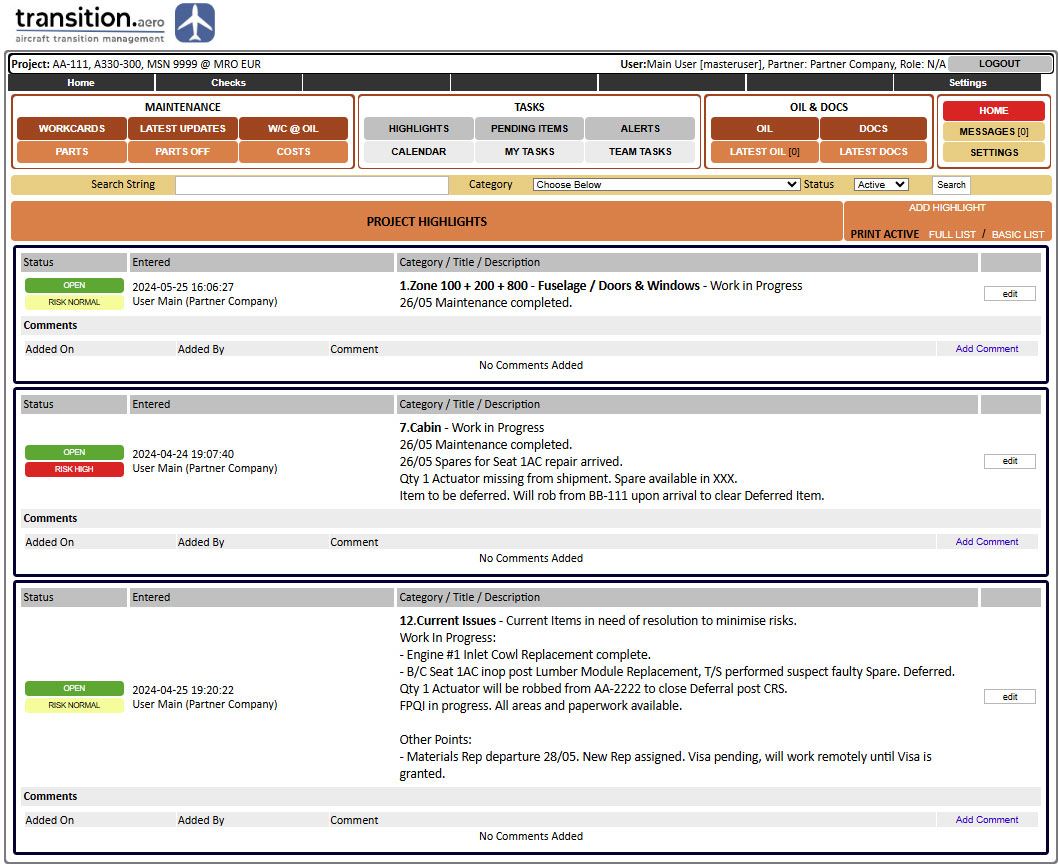
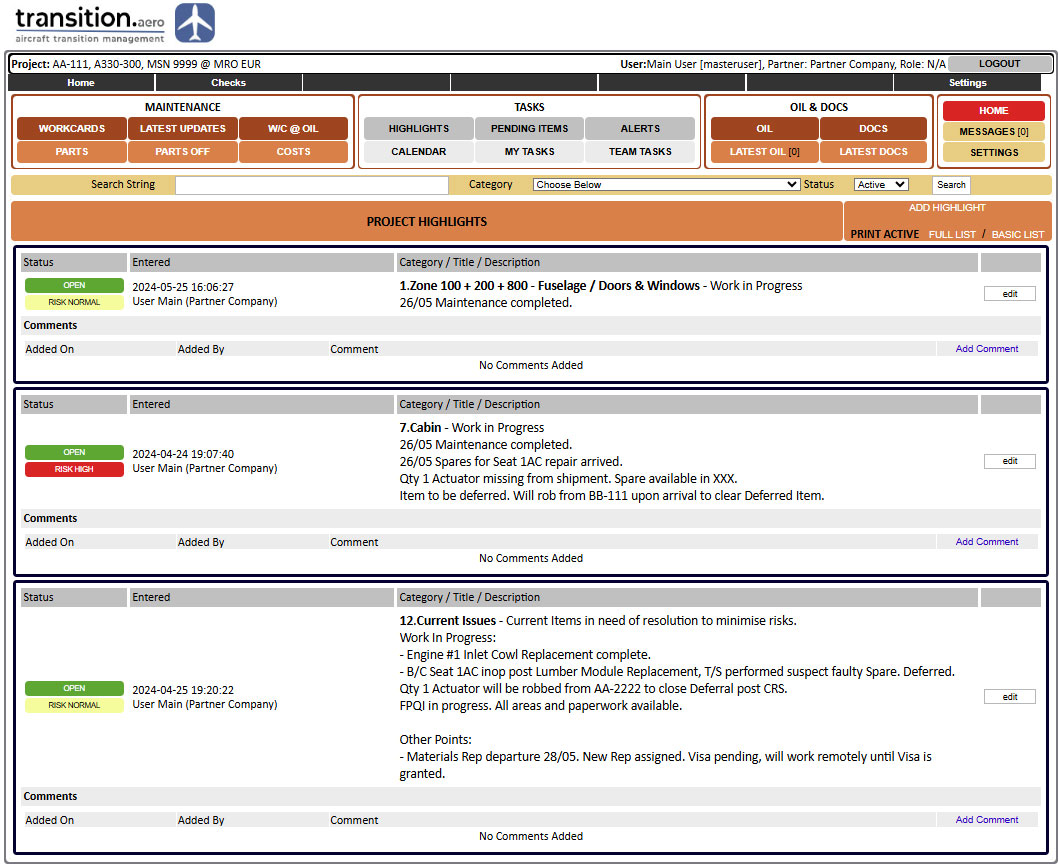
Project highlights support structured reporting of daily or periodic project progress.
Highlights can be grouped by subject such as engines, avionics, fuselage, technical requests, cabin or other project areas.
Highlights can be printed or copied into project reports for stakeholders who are not onsite.
Allocated users can update highlights, while authorised users can view and comment according to permissions.
Project Alerts
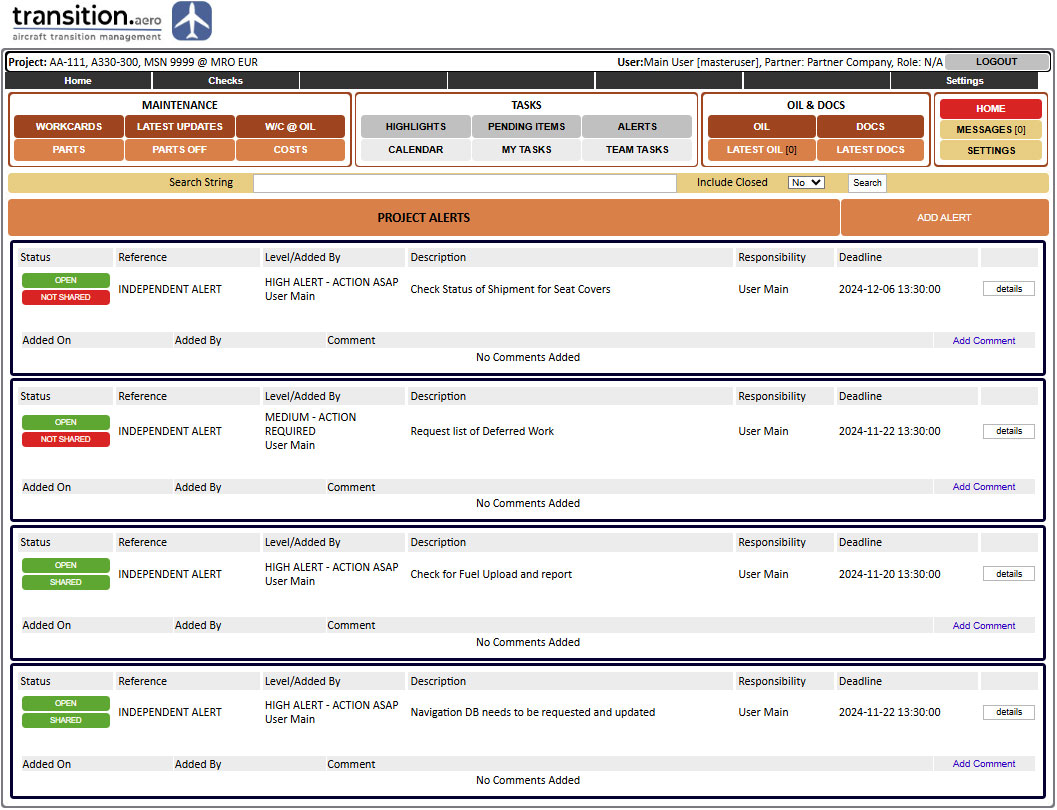
Project alerts highlight risks, blockers and time-sensitive issues requiring attention.
Alerts can identify the issue, risk level, responsibility and required deadline.
The alerts module is used for higher-priority issues than ordinary pending items where delay risk must be visible.
Responsible or shared team members can provide feedback and closure comments according to permissions.
Responsibility Allocation & Pending Tasks by User
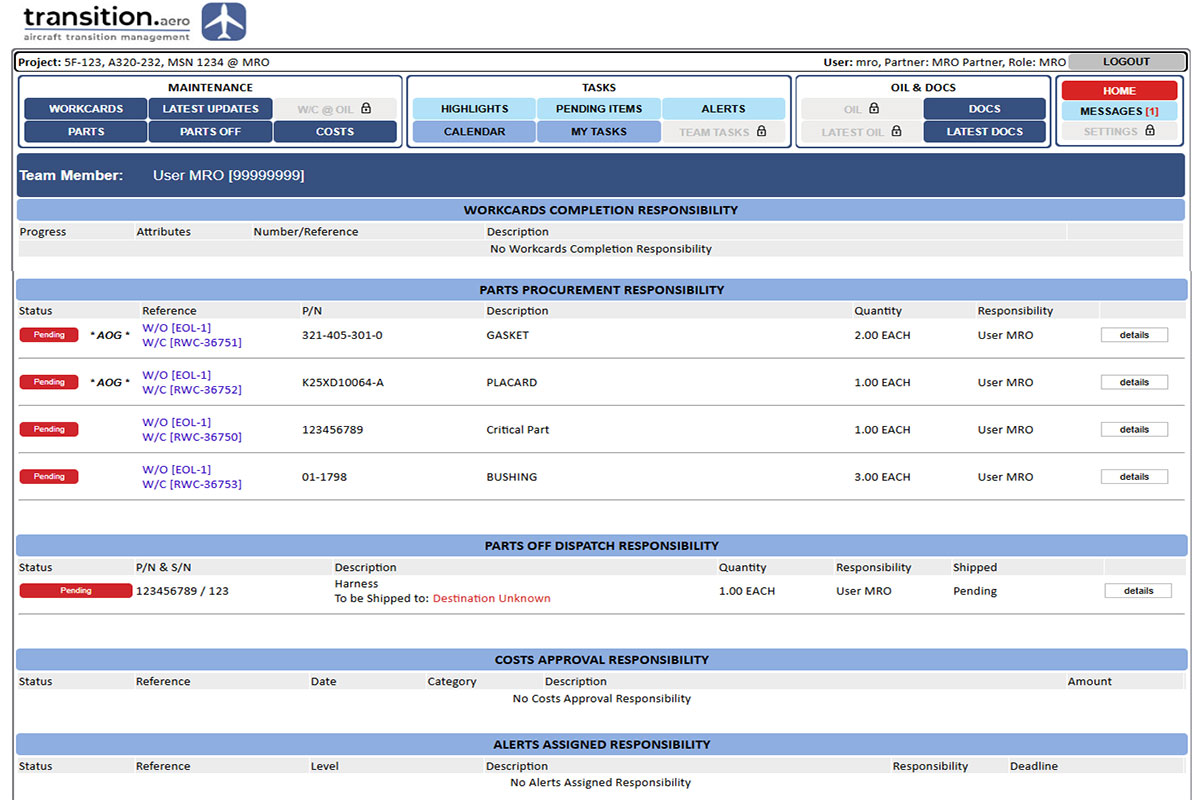
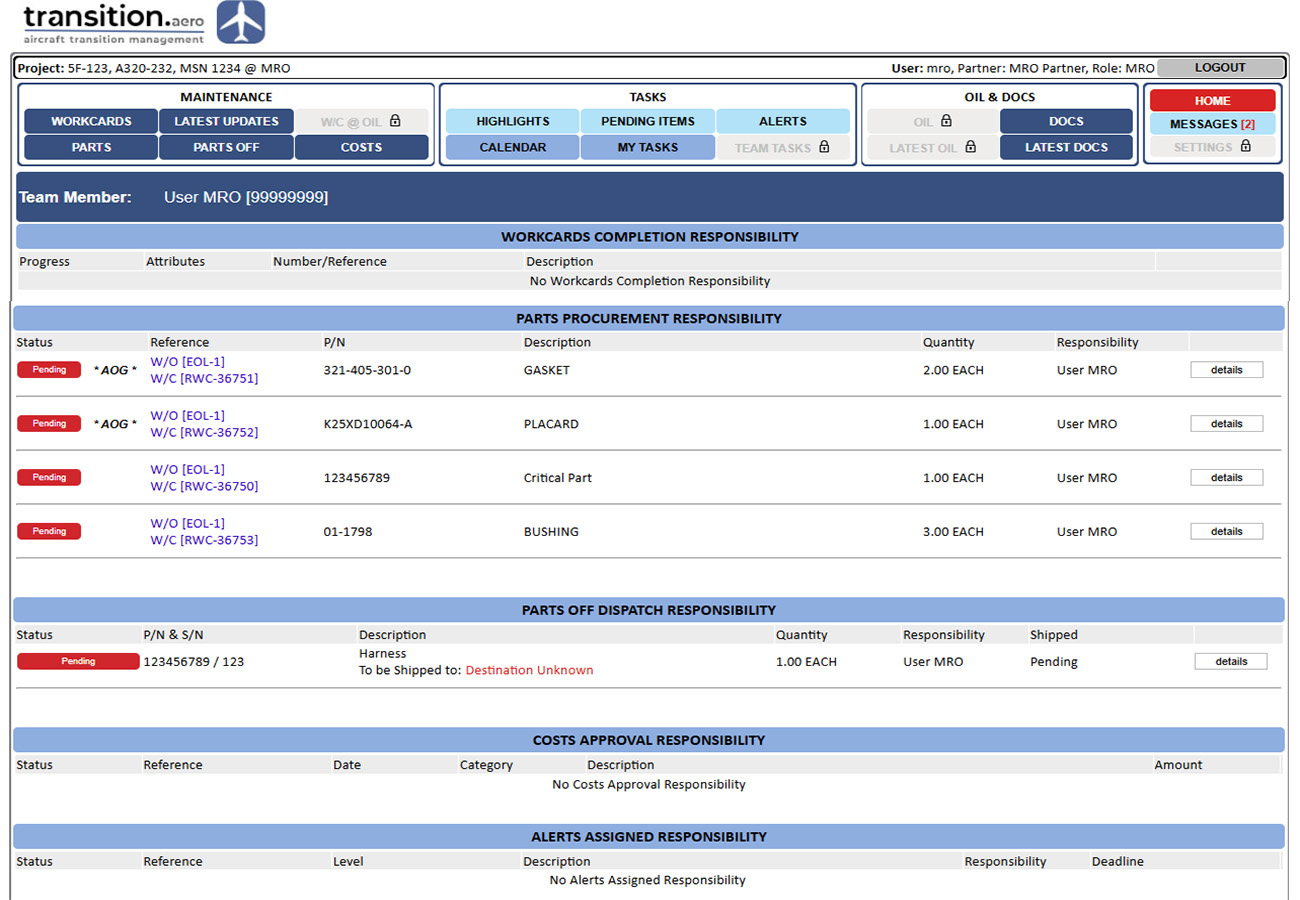
Users can view project actions assigned to them from one responsibility-focused page.
Each user can see their own pending items and responsibilities grouped together.
Responsibilities can include taskcard actions, parts procurement, parts removed dispatch, cost approvals, alerts, highlights, pending items and memos.
Administrators can view responsibility items for other users where permissions allow.
Selective user access
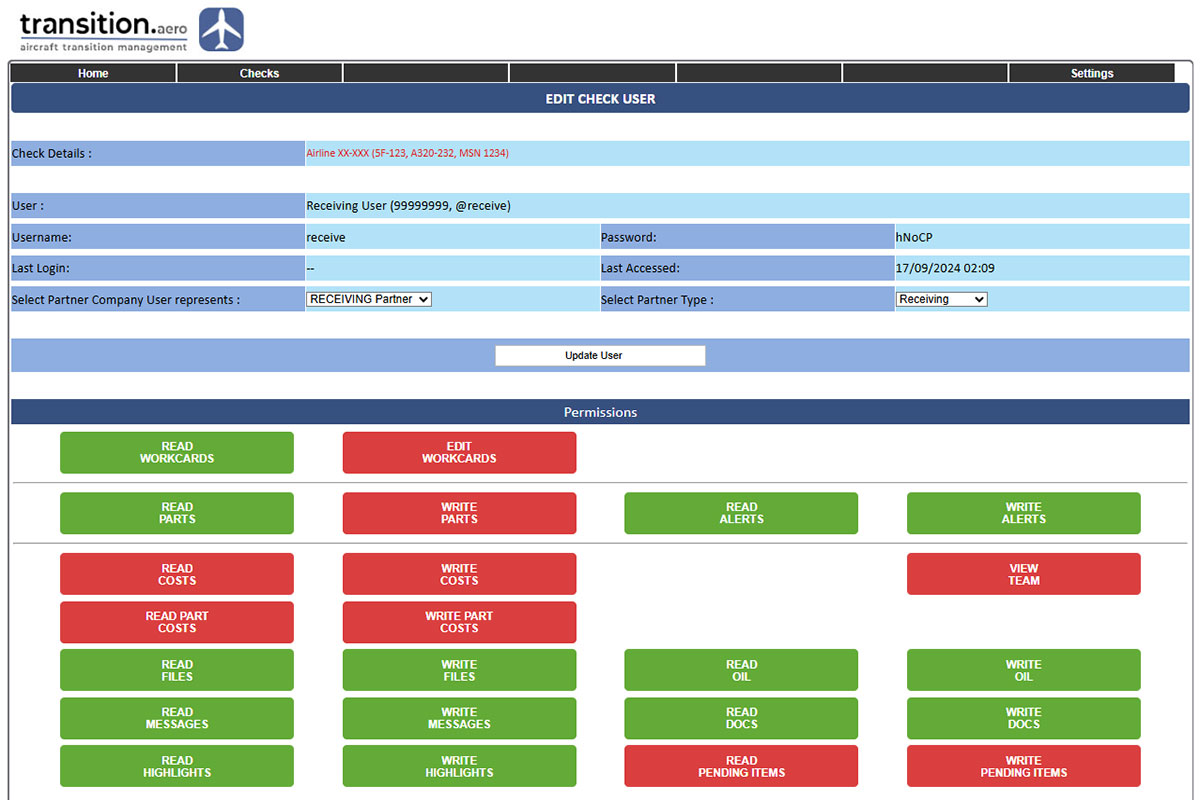
Role-based permissions control what each user can view or update.
Users can be assigned read and write permissions by module or function.
Permissions can cover taskcards, parts, alerts, costs, records/files, messages, highlights, OIL and pending items.
Permissions can be updated by the administrator as project requirements change.
Messaging
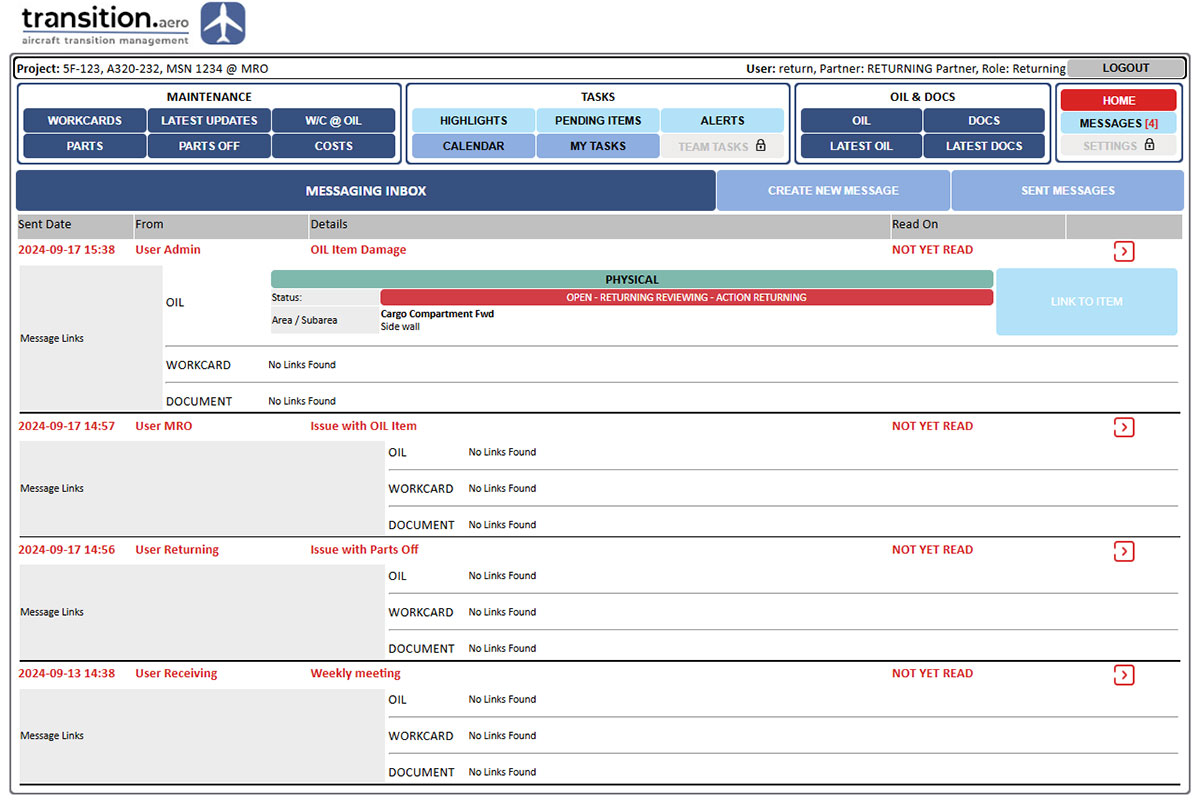
Built-in messaging links project communication to the relevant platform items.
Messages can be sent to users included in the current project.
Messages can be linked to an OIL item, taskcard or document where applicable.
The user control panel indicates when a new message has been received.
Aircraft Records
Review & Management
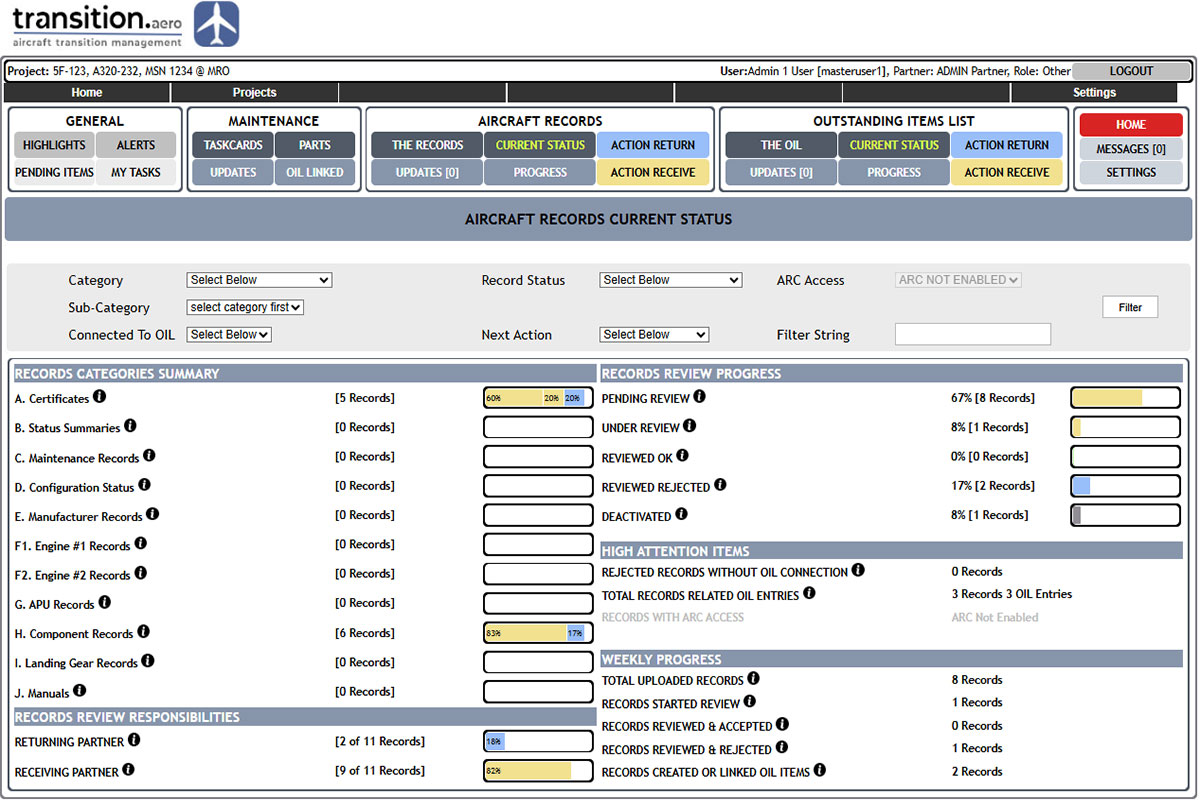
Centralised aircraft records storage, IATA/AWG-style category management, review status control, OIL linking and progress monitoring.
Aircraft Records
OCR & Search
Uploaded PDF and supported image files are processed in the background into searchable PDF equivalents, allowing aircraft records to be searched together with supported Word and text documents.
OIL
Management
Comprehensive OIL management with linked discrepancies, evidence, comments, status control, next-action responsibility and full user traceability.
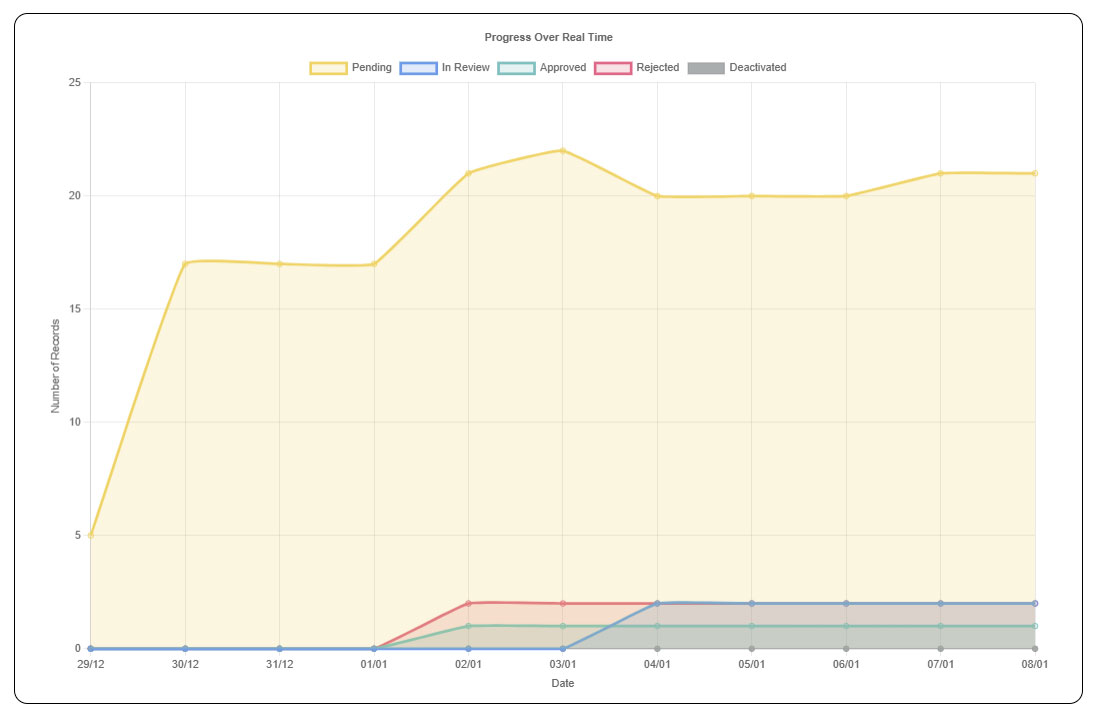
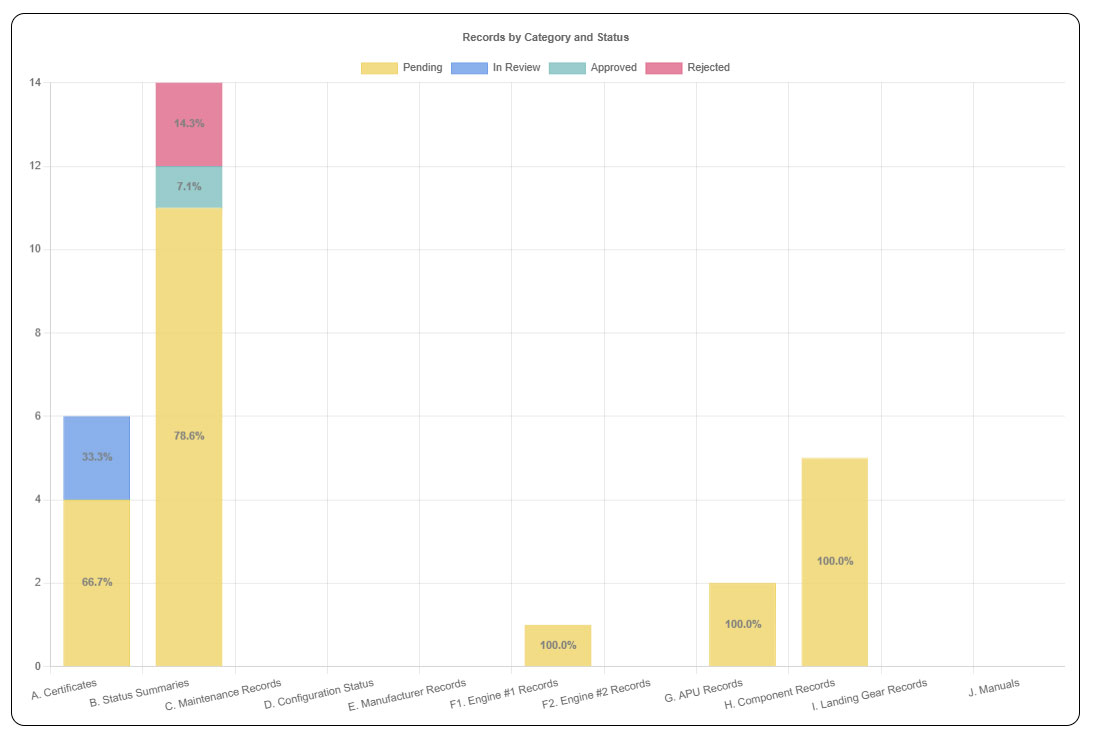
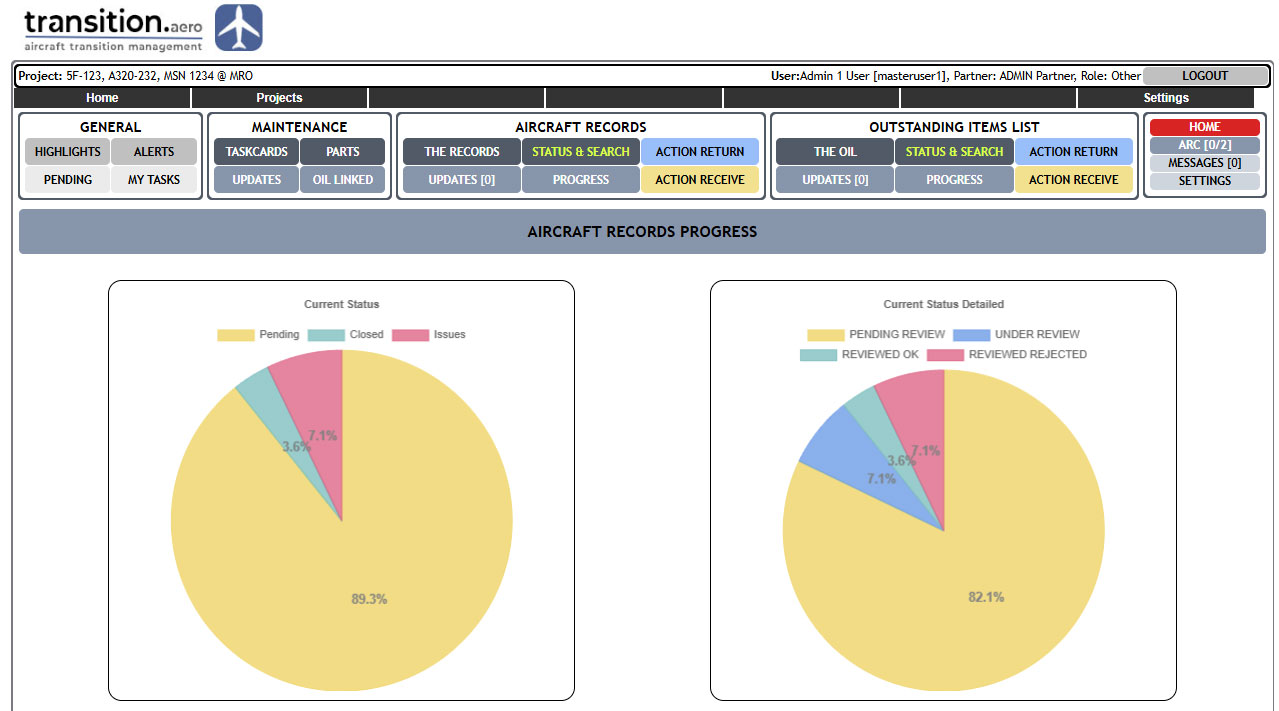
Records Review & OIL Progress
The platform provides progress views and charts for aircraft records review and OIL activity, helping the team monitor opening, review and closure trends.
Maintenance
Check Control
Maintenance check control for taskcards, DFP review, parts requirements, parts removed, alerts, costs, progress reporting and defect / task closure tracking.
User/Team
Management
User responsibilities, project communications, role-based access and team task visibility according to each user’s project role and permissions.
Aircraft Airworthiness
Services
We specialise in pre-purchase records reviews, pre-handback records preparation, records digitisation and management, remotely or onsite.
These services can also be offered together with the transition.aero platform.



Contact transition.aero
The transition.aero platform, AOGLive.com and Avi8Global.com are owned and operated by THEDESIGNBENCH LTD, a Republic of Cyprus registered company.
For more information please use the below details to contact us and we will be happy to help.
email admin@transition.aero
tel +357 99 354502
address 42 Eleftherias Street, Pano Deftera, Nicosia 2460 CYPRUS
privacy policy for our privacy policy please click here